Kể từ 9/3/2005 tới nay 4/3/2014 nhóm Buzz đã đăng 225 bài chia sẻ hướng dẫn khai thác các tính năng của Blogger. Điều này chứng tỏ nền tảng của Blogger rất phong phú.
Dưới đây cập nhật bài thứ 225 của Buzz đăng ngày 27/1/2014:
Xin trân trọng giới thiệu với bạn đọc của Buzz.
YHN
---------------------------------------------------------------------
Adding pages to your blog can be a great way to organize content - like ‘About me’ or ‘Advertise’ sections. To make managing pages easier, we redesigned the ‘Pages’ tab in the Blogger dashboard to make it look and feel more like something you’re already familiar with: managing posts.
With the new design, you can:
- view important details about your pages like view count and comments
- manage multiple pages at once with new selection tools
- easily see whether pages are in draft, imported, or published states
Happy blogging!
The holiday season is here and retailers are spending more on online advertising to promote their products. Your blog has valuable space and you can earn some extra money by placing Google AdSense ads next to your content.
If you don’t already have AdSense set up on your blog, visit the Earnings tab of your Blogger dashboard to give it a try. It’s free and only takes a moment to sign up.
And if you’ve tried AdSense out in the past, head to your blog and give it a second look. It now has updated controls, so you can match the ads that appear to the style of your blog.
Happy holidays!
Posted by Ian Cohan-Shapiro, Marketing Manager
Notifying your followers that you've published a new blog post not only gets the conversation going, it encourages them to reshare your content with others. In this way it's critical for growing your blog's audience and engagement. But it takes time. And we want to give you that time back.
Starting today you can automatically share your blog posts publicly to Google+ — as soon as you publish them, with no additional clicks. And of course: if you've enabled Google+ Comments, any replies on Google+ will also appear on your blog.
 |
| Blog post |
 |
| Google+ post |
If you've connected a Google+ page or profile to your blog, this new feature will start working the next time you publish a post. If you'd rather not share to Google+, or you'd prefer to be prompted each time, you can adjust your preferences in the Google+ tab of your Blogger Dashboard.
Happy blogging!
Posted by Marc Ridey, Software Engineer
From time to time, we like to highlight bloggers who successfully use Blogger and other Google products. Today we're featuring how Kelly Saks from Kelly's Kloset reached a wider audience with Blogger and Google+.
All about Kelly:
Kelly Saks, the blogger behind Kelly’s Kloset, is a fashion and beauty expert based in Miami, Florida. Kelly posts daily musings on outfits, beauty tips, and local happenings. She has successfully transformed blogging from hobby to career, landing styling gigs with brands like Bloomingdales, Swarovski, and Macy’s.
How she did it:
Kelly always shares her blog posts from her personal Google+ profile and the Miami Fashion Bloggers Google+ page, a page she contributes to with almost 400,000 followers. “The option to share on Google+ helps keep my fans up-to-date whenever I post something new,” says Kelly.
Kelly has broadened her audience and built a strong online community using Google+. Google+ has also helped her connect with other bloggers, fans, and even celebrities by live streaming the events she hosts using Hangouts On Air:“I can easily interact with fans even if they can’t come to events in person”.
If you’re also looking to grow your audience, Kelly uses several Google+ plugins that are easy to add:
- The Google+ badge on Kelly’s Kloset shows her presence on Google+
- The +1 button lets fans share her blog
- The Google+ followers gadget displays her growing follower count and allows fans to easily add her to circles
Kelly notes that “these tools are really easy to use and make interacting with my audience a seamless experience”. You can explore these features by visiting the ‘Layout’ tab in the Blogger dashboard and clicking ‘Add a Gadget’.
Click here to learn more about Google+ and Blogger.
Posted by Diana Golduber, Google+ Marketing
Ten years ago we launched AdSense to help publishers earn money by placing relevant ads on their websites. I can still remember the excitement and anticipation as AdSense went live that first day.
Our small team huddled together in a cramped conference room, and right away we saw that publishers were as excited about AdSense as we were.
Fast-forward 10 years, and AdSense has become a core part of Google’s advertising business. The AdSense community has grown to include more than 2 million publishers, and last year alone, publishers earned more than $7 billion from AdSense. AdSense is a community that thrives because of all the content creators we are so fortunate to partner with. Their stories inspire us to do our part to make AdSense great.
On this occasion, it’s especially inspiring to hear the stories of partners who have been with us since the very beginning—like a retiree in New Zealand who was able to pursue her dream of writing about her garden, a tech support expert in Colorado who can spend more time with his kids, and a theme park reviewer who now sends employees around the world to test and review rides—all thanks to money earned from AdSense.
As part of our 10th anniversary celebration, we hope you’ll tune into our live Hangout on Air today at 10 a.m. PDT (5 p.m. GMT) on the AdSense Google+ page. I look forward to joining several of our partners to share stories from the early days of AdSense, talk about how we’ve all grown since then, and discuss the future for publishers and online advertising. And if you want even more 10th anniversary celebration, just visit our AdSense 10th anniversary page at any time.
Posted by Susan Wojcicki, SVP, Ads and Commerce
Cross-posted from the Google Official blog
Posted by +Yonatan Zunger, Principal Engineer
Reading and responding to comments can be one of the most rewarding aspects of blogging. Not only do they help you connect with your readers, they can also inspire later blog entries. The challenge, oftentimes, is following all the conversations around your content—on Google+, for instance, as well as on your website. So we're making things a lot simpler.
Starting today, you can bring Google+ Comments to your Blogger blog. Once you've enabled the feature through your Blogger Dashboard, you'll enjoy a number of important benefits:
View your blog and Google+ comments, all in one place
Now when you're browsing your blog's comment threads, you'll see activity from direct visitors, and from people talking about your content on Google+. For example, if there's a public Google+ discussion about one of your blog entries, those comments and replies will also appear on your Blogger blog. This way you can engage with more of your readers, all in one place.
Help readers comment and connect with their circles
Your blog readers will now have the option to comment publicly, or privately to their circles on Google+. And when they're browsing blog comments, they can view all of them, just the top ones, or only those from the people in their circles.
In all cases, you and your readers will only see the comments you have permission to see. Giving people these kinds of controls not only encourages more meaningful sharing—it can lead to more blog traffic.
To get started with Google+ Comments, just visit the Google+ tab of your Blogger Dashboard, and check “Use Google+ Comments.” (Older comments will continue to appear in the new widget.)
You can also visit any post on the Official Google Blog (like this one), or on Blogger Buzz (like this one), to see Google+ Comments in action.
Happy commenting!
Posted by: +Samantha Schaffer and +Renee Kwang, Software Engineer Interns.
Whether you’re a web developer who builds blog templates for a living, or a web-savvy blog owner who prefers to make changes to your template using HTML, CSS or JavaScript, you may be interested in some enhancements that we made to Blogger’s Template HTML Editor.
Your blog’s HTML template is the source code that controls the appearance of your blog. This template can be customized to appear however you’d like. The improved HTML template editor now supports line numbering, syntax highlighting, auto-indentation and code folding to make editing your template much easier.
Suppose we wanted to move the date of a blog post underneath the post title, similar to the Blogger Buzz blog. To do this, follow these steps:
Click the “Template” tab on the Blogger dashboard, then the “Edit HTML” button, to see the new template HTML editor:
Locate the “Blog1” widget quickly using the new “Jump to widget” drop down:
This widget controls how your blog posts are displayed. The code inside the widget is folded by default. Clicking the new fold markers ‘►’ next to the line numbers expands the widget and reveals a set of “includable” tags:
Inside the “main” includable is the block of code that renders the post date:
Cut the post date code section and move it to where we want it, in this case, under the post title in the “post” includable:
To check our changes, click the new “Preview template” button to see the updates:
The post date is exactly where we want it, so tab back to “Edit template”, hit “Save template” and we’re done!
Finally, we’ve added a “Format template” button that automatically cleans up the indentation of the template, and made it possible to search for text by pressing “Ctrl+F” once you’ve clicked into the editor. To find and replace text occurrences one by one, use “Ctrl+Shift+F” or to find and replace all occurrences at once, use “Ctrl+Shift+R”.
Posted by +Malte Ubl, Software Engineer
Blogs are a great way to spark a conversation, and today we’re giving you a new way to grab someone’s attention: Google+ mentions in Blogger. Now you can add a link to a Google+ profile or page when you want to mention someone in a post. If you then share your post from Blogger to Google+, we make it easier to notify your mentions by including them in the sharebox.
To mention someone, just type “+” before their name while you’re using the Blogger post editor.
The profile or page will show up as a link in your published post. Hovering over will show a card with more info and an ‘Add to circles’ button. Clicking the link takes you straight to the Google+ profile or page.
So, whether you want to credit a co-author (thanks +Gregory Fair!), ask a question, or just kick off a dialogue, connect your blog to Google+ and try mentioning someone in your next post!
Connecting your blog to Google+ is a great way to attract new readers, as well as build lasting relationships with your followers. For example, you can easily share your posts in the Google+ stream, as well as enable blog visitors to recommend your stuff in a single click. Today we're excited to offer another Google+ perk: the followers gadget.
The Google+ followers gadget highlights your total Google+ audience (both its size and some friendly faces), and offers visitors the chance to follow you on Google+. As a result, you can grow your readership across the web, and reach them either in the Google+ stream, or through your blog.
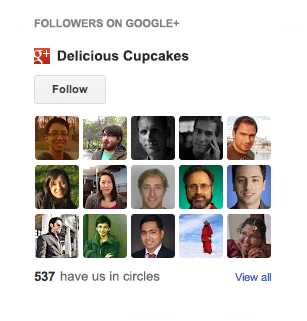
To get started, just connect your blog to Google+, visit the "Layout" tab of the Blogger dashboard, and select "Add a Gadget." You can also read a bit more about today's update in our Help Center.
Happy blogging!
p.s. Those of you with the Google Friend Connect followers gadget can keep using it, if you like. We retired most of Friend Connect earlier this year, but we'll keep it running on Blogger for the foreseeable future.
Inspiration for a new post can happen at any place and time: on the couch, while shopping, at a game, or in the kitchen. Fortunately, mobile devices enable you to stay connected wherever you are.
With that in mind, we just launched updated apps for both Android and iOS. The updated apps include a visual facelift and other features which make it easier for you to create and share -- wherever your imagination runs wild. Some of the more notable improvements include:
- Landscape support for composing posts
- Sharing to Google+
- Ability to view a scheduled post time
- International support in 30+ languages
- iPad support
We hope you enjoy these improvements, and keep writing great blog content on the go.
Get Blogger in the Play store to get the latest on your Android phone or the App Store for iOS devices.
|


